SecondSight for Mac · Microsoft 365
Email, calendar and Teams.
Handled by voice.
Hear your messages word for word, answer out loud, check your day and book the next meeting — all in one natural conversation. Nothing is sent until you say so.
One payment · every 5.x update · up to 3 Macs · Apple silicon, macOS 14+, Microsoft 365 work or school account
Keep your day moving
From the first email to the next meeting.
See a morning with SecondSight. One minute forty, captions included.
Just say it
No commands to learn. Talk the way you would to a colleague.
A few of the things people say to SecondSight every day.
- “What’s new?”
- “Read me the one from Alex.”
- “Reply: yes, I’ll send it by three.”
- “Forward it to Priya.”
Organise
- “Find the invoice from Contoso.”
- “File it in Projects.”
- “Flag that one.”
- “Archive it and read the next.”
Calendar
- “What’s on this morning?”
- “What’s next?”
- “Set up a meeting with Priya tomorrow at two.”
- “Book thirty minutes with Sam on Friday.”
Teams
- “Any new Teams messages?”
- “Read my latest message from Priya.”
- “Reply: the agenda looks great.”
Writing
- “Help me reply to this.”
- “Make it shorter.”
- “Say I can’t make Thursday.”
- “Save it to Drafts.”
Made for the way you work.
For a day that won’t slow down
Clear what came in between meetings, answer while you’re still thinking it, check what’s next and book the follow-up — without opening Outlook, Teams or your calendar.
- Act on email, Teams and your calendar in seconds
- Speak a reply instead of typing it
- Start from any app with ⌘⇧Space
When reading the screen is hard work
Dyslexia, low vision, tired eyes, sore hands: whatever makes long emails heavy going, SecondSight reads every message aloud, word for word, and writes your replies from what you say.
- Every word read in full — never summarised unless you ask
- Adjustable speaking speed
- Type instead of talking whenever you prefer
For people who think out loud
Some of us write best by talking. Say what you mean, and SecondSight turns it into a clear email in your own style — then reads it back so you can change anything by saying so.
- Drafts in your style, learned only if you agree
- Change a draft just by saying what to change
- Nothing is sent until you say so
Listen
Two hundred unread. Hear them instead.
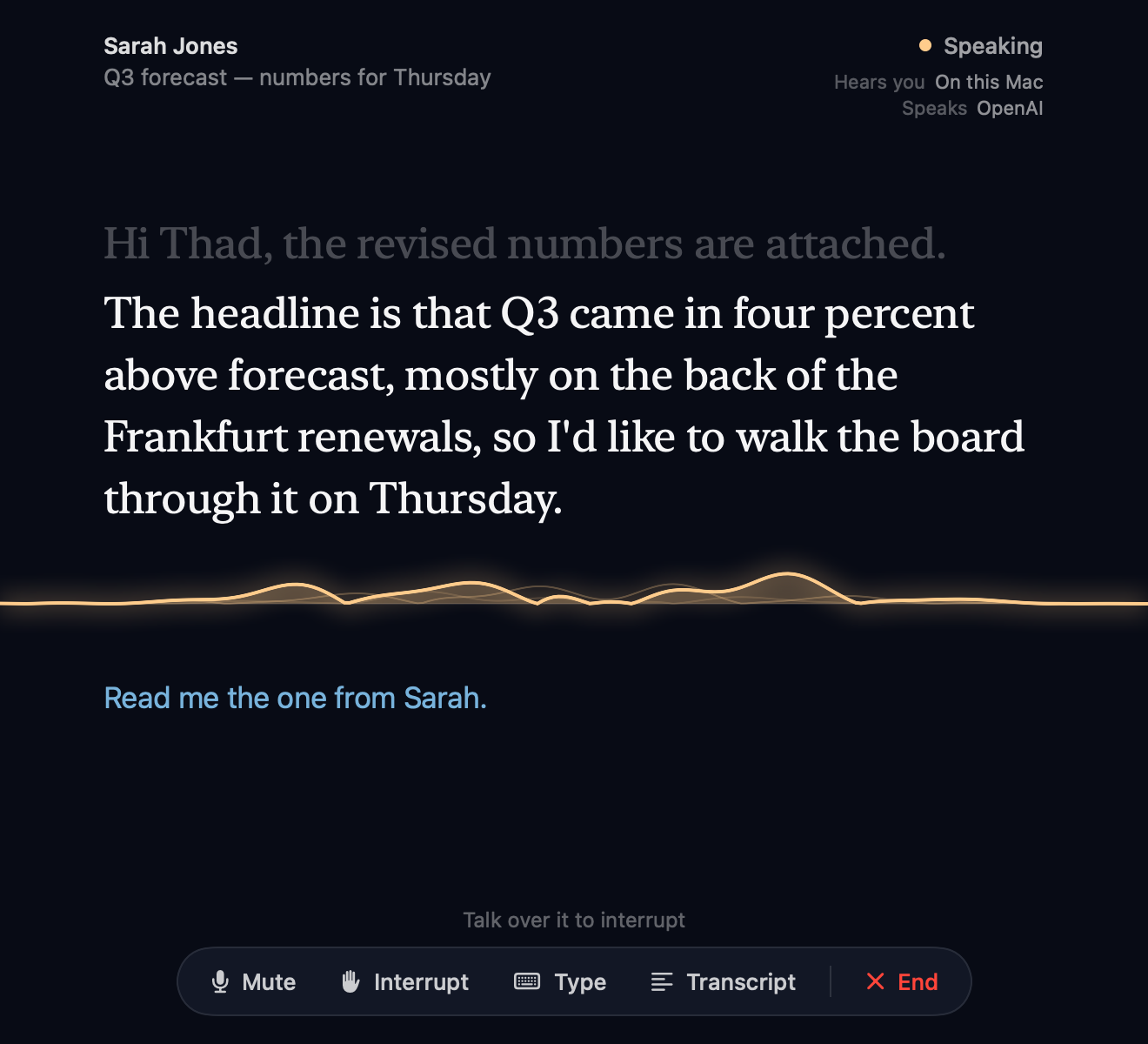
Ask what’s new, or name someone you want to hear from. SecondSight reads each message in full — sender, subject, every word — in a voice that’s genuinely pleasant to listen to. It keeps its place, so you move through your inbox the way you’d talk to an assistant.
- “Read me the one from Sarah.”
- “Next.” “Tell me more about that one.”
- File, flag, archive or delete — just say so.
Reply
Nothing goes out until you say so.
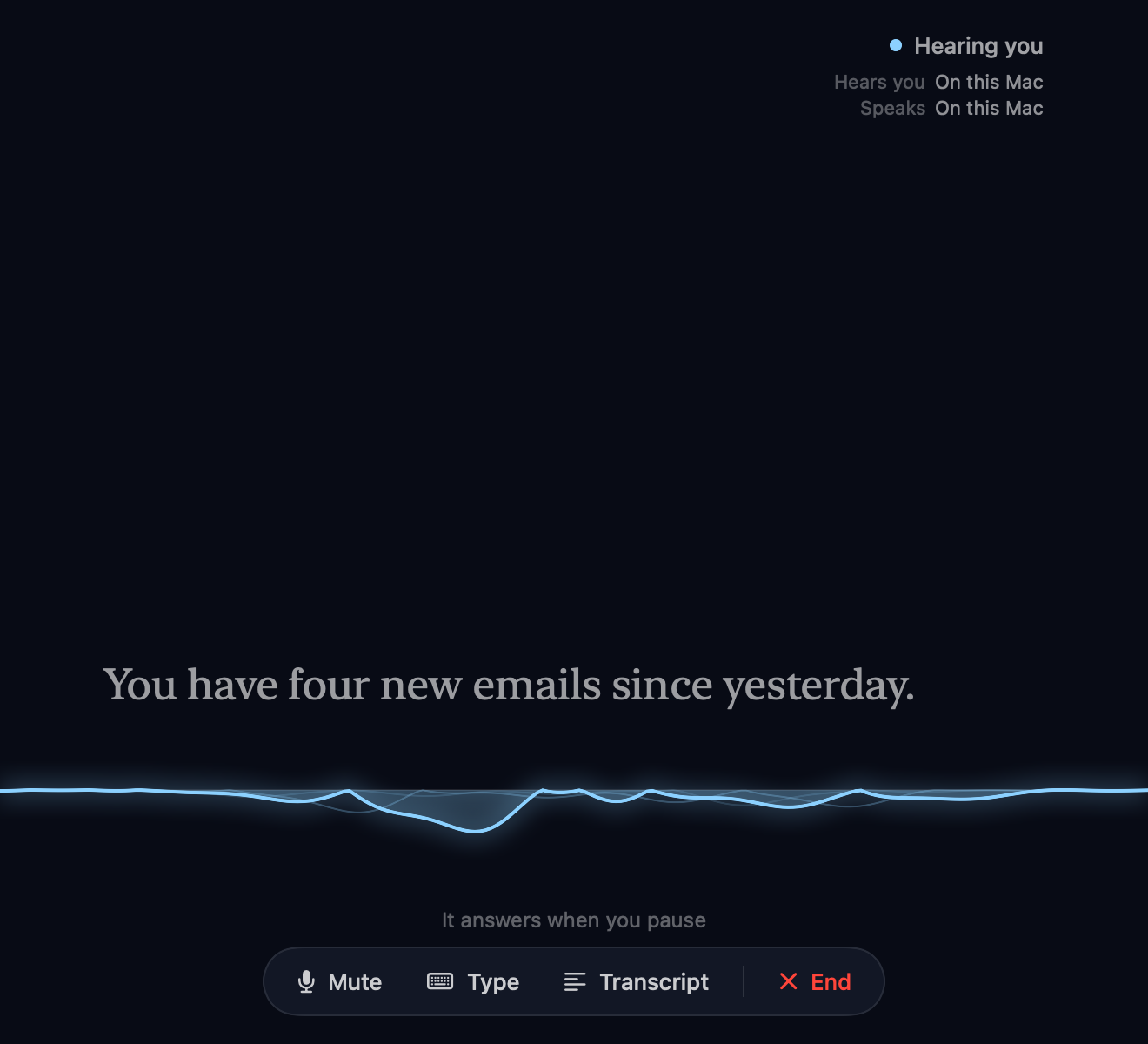
Answer out loud and SecondSight writes the reply as you — faithful to what you said, in natural email prose. Then it reads the draft back. Send it, save it to Drafts, or simply say what to change.
- Replies, reply-all, forwards and new emails
- Every draft read back before it’s sent
- Change anything by saying it
Help me reply
Stuck on what to say? Think it through out loud.
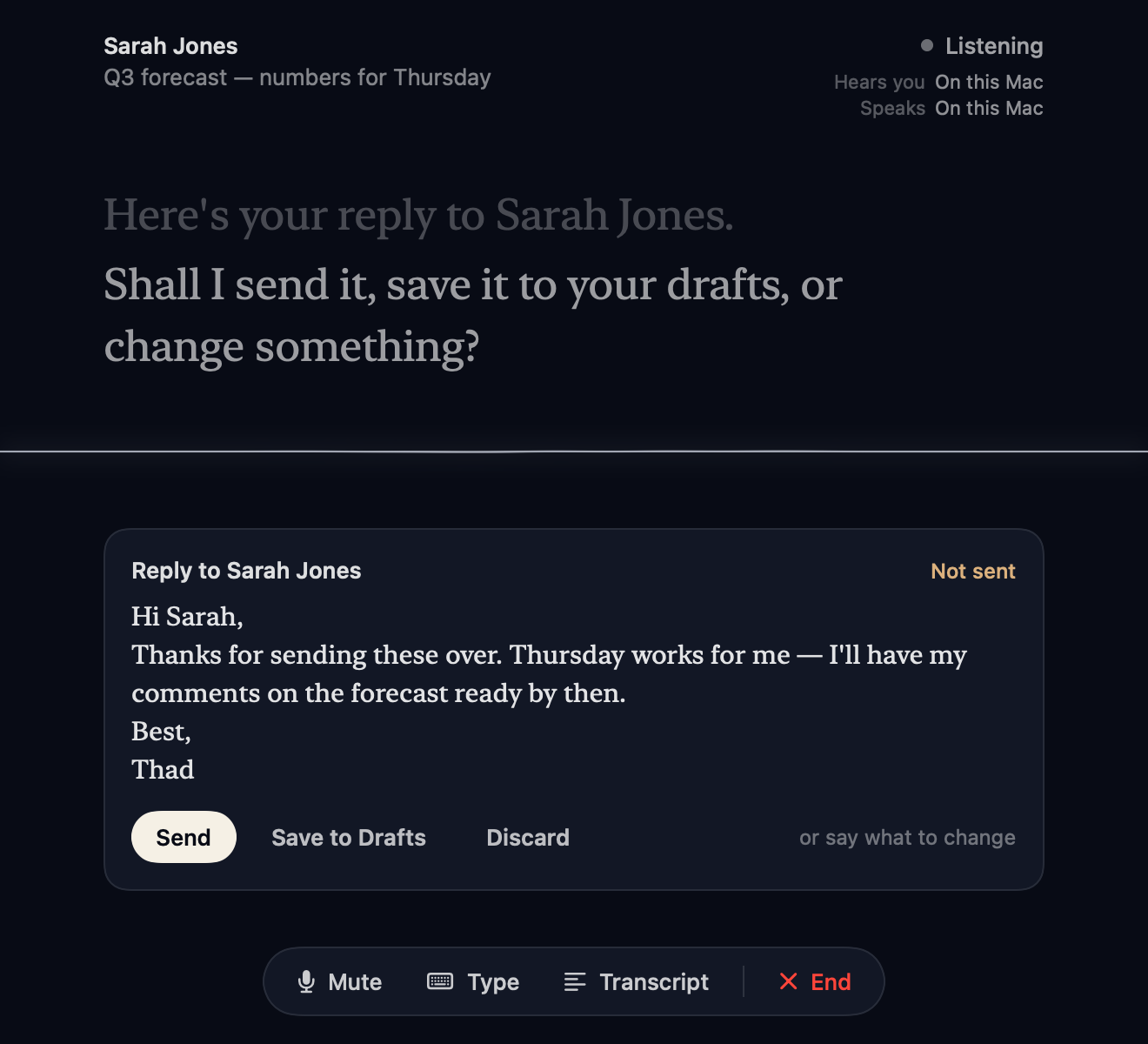
Ask SecondSight to help and it suggests a couple of directions, asks at most two quick questions, then drafts the reply in your style. It learns how you write from your sent mail — but only if you say yes, and you can see and edit what it’s learned.
- Two or three directions to choose from
- Drafts that sound like you, not a template
- Learning is off until you turn it on
Calendar
Check what’s next without opening anything.
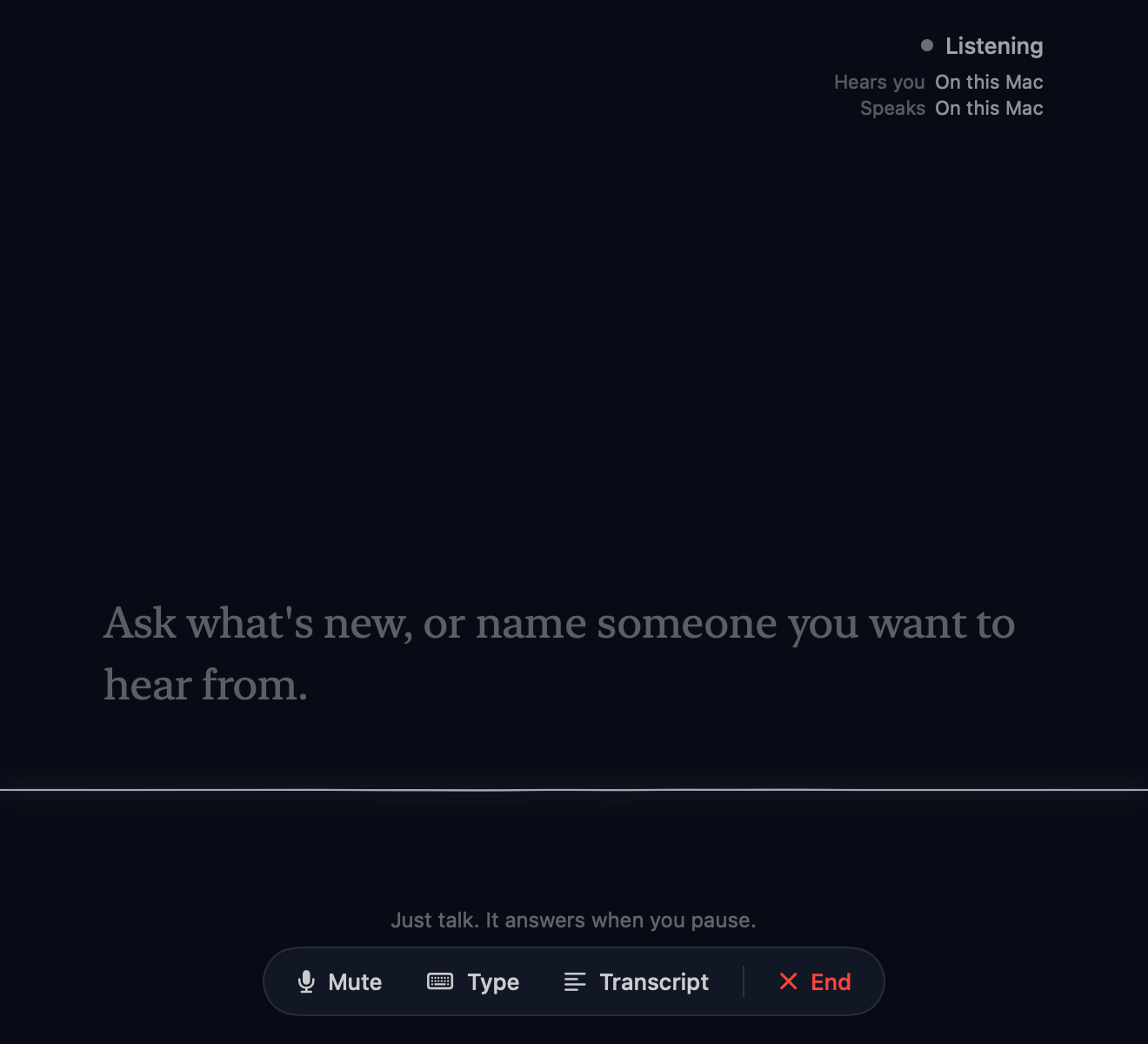
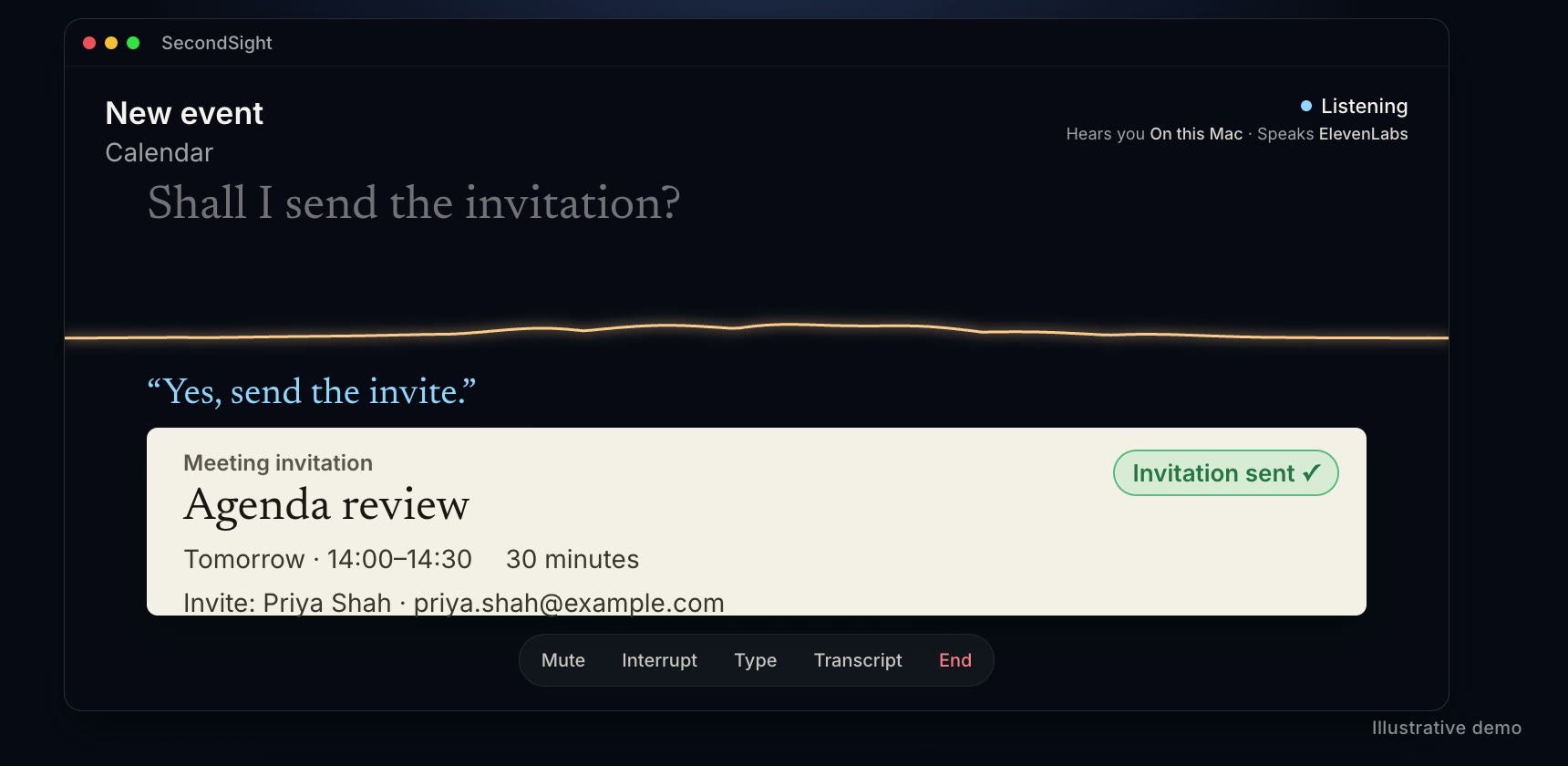
Ask what’s on this morning, tomorrow, or any day in the next fortnight. Then book the follow-up in the same breath: SecondSight finds the people you name, sets the time, and reads the invitation back before it goes.
- Today or up to 14 days ahead
- Create meetings and invite colleagues by name
- Confirm before any invitation is sent
Teams
Stay in the conversation.
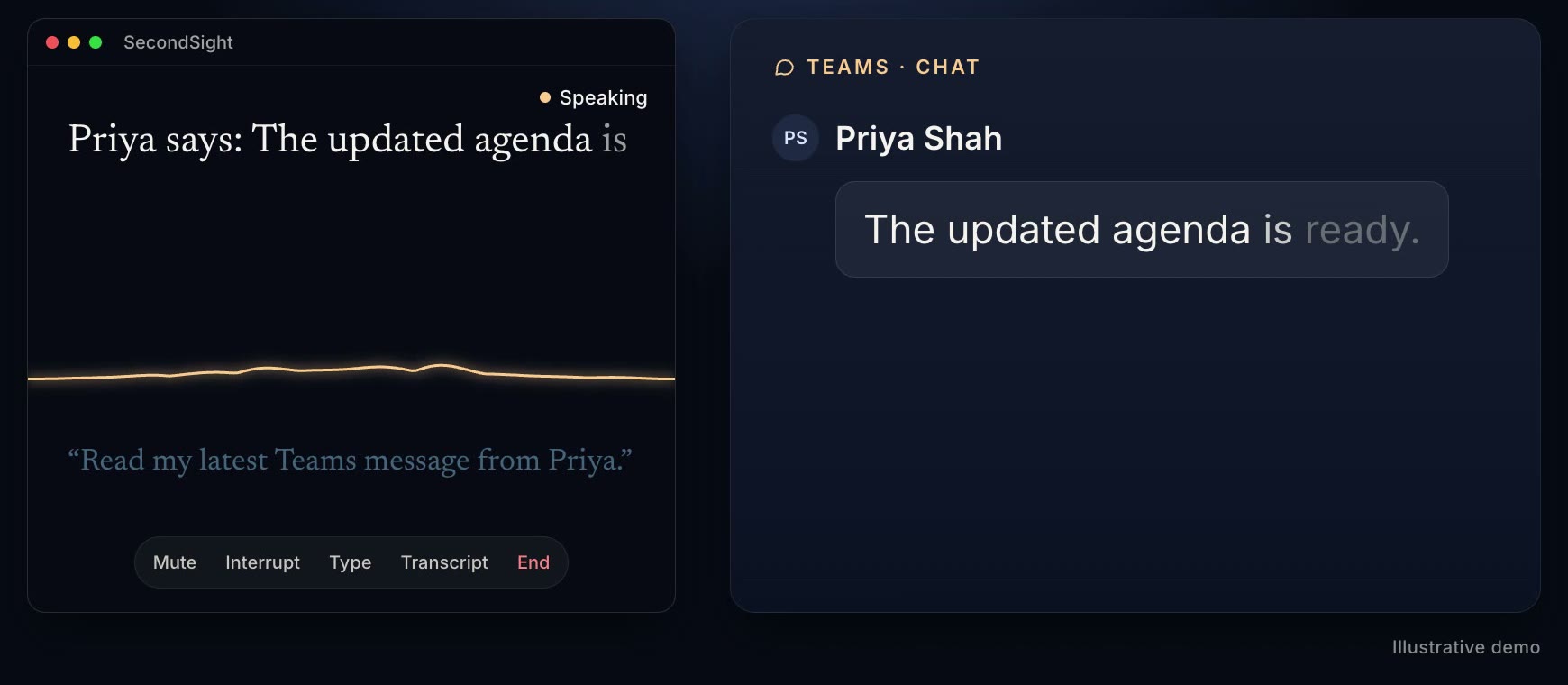
Hear your latest Teams chats and answer them by voice. Like every message SecondSight sends for you, your reply is read back first — so a quick answer between meetings is still the answer you meant.
- Catch up on recent chats
- Reply by voice in any chat
- Read back before sending
Everywhere
It follows you, not the other way round.
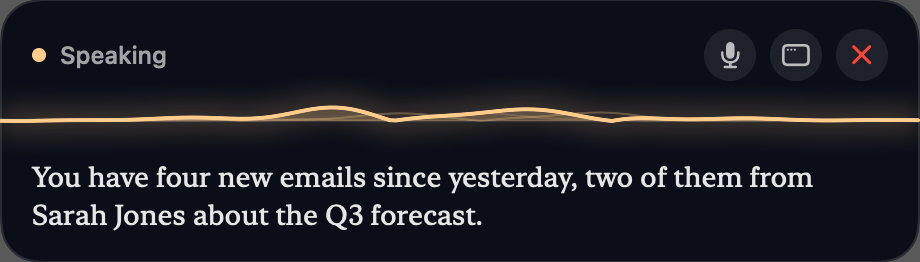
Work in any app. SecondSight floats in a quiet strip above it, speaking and listening, and gets out of the way when you're done. Press ⌘⇧Space from anywhere — or type instead of talking whenever that suits you better.
Remember
Tell it once. It still knows next week.
Who people are, what your team calls things, how you like your mail filed. SecondSight remembers between conversations and across your Macs — and shows you everything it knows, so you can delete any of it, or switch memory off entirely.
Memory
Things SecondSight carries from one conversation to the next.
Facts
Standing instructions
Kept in iCloud as well as on this Mac.
Your email can stay on your Mac.
SecondSight has no servers and no account. Hearing, thinking and speaking are three separate choices — each can run on your Mac, or use a service you pick for the very best quality. Settings tells you plainly what leaves your Mac.
Hears you
Whisper, on this Mac
Nothing you say leaves it.
Thinks
A model on this Mac
Or Claude, with your own key, for the richest conversation.
Speaks
Apple’s voices, on this Mac
Or OpenAI and ElevenLabs for the most lifelike sound.
Everything you'd ask of an assistant.
Word for word
Sender, subject and every line, read in full. It keeps its place, so “next” and “the one before” just work.
Replies in your voice
Speak naturally, or ask it to help: it suggests a direction, asks what it needs, and drafts in your style.
Calendar and invites
Hear what’s on today or the next fortnight, and create meetings with the right people invited.
Teams chats
Catch up on your chats and reply by voice, with each message read back before it goes.
Search and organise
Find mail by person or topic, then file, flag, archive or delete it — just say so.
Knows your people
Say a colleague’s name and it finds them in your contacts or your company directory.
Built for real rooms
Voice detection tuned to speech, with quiet, normal and noisy-room modes. Talk over it to interrupt.
Always a keystroke away
Lives in your menu bar. Press ⌘⇧Space from anywhere to start; a quiet strip floats over the app you’re in.
A voice worth hearing
Apple’s voices on your Mac for free, or OpenAI and ElevenLabs for the most lifelike sound.
Ready for your IT team.
SecondSight signs in through Microsoft and asks only for mail, calendar, Teams chats and people lookup. It works with Conditional Access and managed Macs, and can be deployed silently.
Guide for IT administrators- One-click admin approval for the whole organisation
- Or use your own Microsoft app registration
- Signed, notarised installer, plus a package for Intune
- Works with Company Portal and managed-Mac policies
- Mail, calendar, Teams chats and people — no files, no OneDrive
Buy once. Keep it.
£29.99
One payment · no subscription
- SecondSight 5 and every 5.x update
- Use it on up to 3 of your Macs
- Your key on screen instantly, and by email
- Email support from the people who built it
- 30-day money-back guarantee
Requires an Apple silicon Mac on macOS 14 or later and a Microsoft 365 work or school account.
Questions
What do I need?+
A Mac with Apple silicon (M1 or later) running macOS 14 or later, and a Microsoft 365 work or school account. Personal Outlook.com and Hotmail accounts aren’t supported.
Will my organisation need to approve it?+
Possibly. SecondSight signs in with its own Microsoft app registration, and many organisations only allow apps their IT team has approved. If yours does, Microsoft will say so when you sign in; send your IT team ingressvc.com/kb/secondsight-for-it-administrators — approval takes them a couple of minutes, once for everyone. IT teams can also use their own app registration, and deploy SecondSight with Intune.
Do I need an AI subscription?+
For the most natural conversation, add your own Anthropic (Claude) API key and pay Anthropic directly for what you use — we take no cut. You can instead run a model on your own Mac. Without either, SecondSight still understands simple spoken commands like “read the next one”.
Can it send something I didn’t mean to send?+
No. Every reply, forward, new email, Teams message and meeting invitation is read back to you first, and nothing is sent until you say so — unless you choose a faster sending option in Settings. You can always save an email to Drafts instead.
Where does my email go?+
Between you, Microsoft, and only the services you choose to switch on. SecondSight has no servers and no account. Settings shows exactly what leaves your Mac — set hearing, thinking and speaking to run on your Mac and nothing does.
Is it accessible with VoiceOver?+
SecondSight is designed to be used by voice: it reads everything aloud and takes your replies by speech, and you can start it with ⌘⇧Space from any app. Its settings windows are not yet fully optimised for VoiceOver navigation. If you rely on a screen reader, try it within the 30-day refund window and tell us what would help.
What doesn’t it do yet?+
It tells you when an email has attachments but doesn’t read them. It works with Teams chats, not channels. It can create meetings, but not yet accept, decline or move them, or add a Teams meeting link.
What does the licence cover?+
One payment covers SecondSight 5 and every 5.x update, on up to three of your Macs. Your key is shown straight after checkout and emailed to you.
What if it isn’t for me?+
Email support@ingressvc.com within 30 days of purchase for a full refund.
Something else? Browse the help articles or email support@ingressvc.com